PLS

Showing posts with label Facebook Advertising. Show all posts

Sunday, 8 November 2015

11 Mind Tricks That Help Increase Facebook Ads Conversion


You know:
Advertising and psychology aren’t that far apart. 
The ultimate purpose of advertising is to persuade.
But it’s psychology that provides insights that help to create persuasive ads.
Because, you see, turns out we’re quite easily suggested.
Increase Ad Conversions
In 1903, Walter Dil Scott, one of the first psychologists to become interested in advertising wrote:
“Man has been called the reasoning animal but he could with greater truthfulness be called the creature of suggestion. He is reasonable, but he is to a greater extent suggestible.”
Other research followed and today there are hundreds of mind tricks advertisers use to persuade audience to take action.
Not all of them are ethical, I admit.
However, there are some touching upon traits of human behavior you probably should know about when aiming to increase your Facebook ads conversion.
And in this post I collected 11 of the most effective ones.

Part 1. Headlines

A couple of weeks ago I showed you some ways to write attention-grabbing headlines. Some of these are simply copywriting formulas. Others however were various mind tricks you could use to capture the user’s attention.
In this post I’ll just reiterate the latter. But I urge you to read the entire post.

Tell Users They Don’t Know as Much As They Thought

You know:
Back in 1757, Edmund Burke, an Irish statesman said:
“Curiosity is the most superficial of all affections; it changes its object perpetually; it has an appetite which is very sharp but very easily satisfied; and it has always an appearance of giddiness, restlessness and anxiety.”
Curiosity has been recognized as a critical motive that influences human behavior.
And it’s no surprise that it’s a focus point of many advertising mind tricks.
Take the curiosity gap theory for instance. The term, first coined by George Loewenstein, refers to our underlying need to fill the blanks in our knowledge.
Apparently, realizing that we don’t know something makes us compelled to find that missing piece of information. 
This mind trick is probably one of the sole reasons why Upworthy’s headlines (most using curiosity gap to attract attention) receive 152% more Facebook likes than other similar sites.
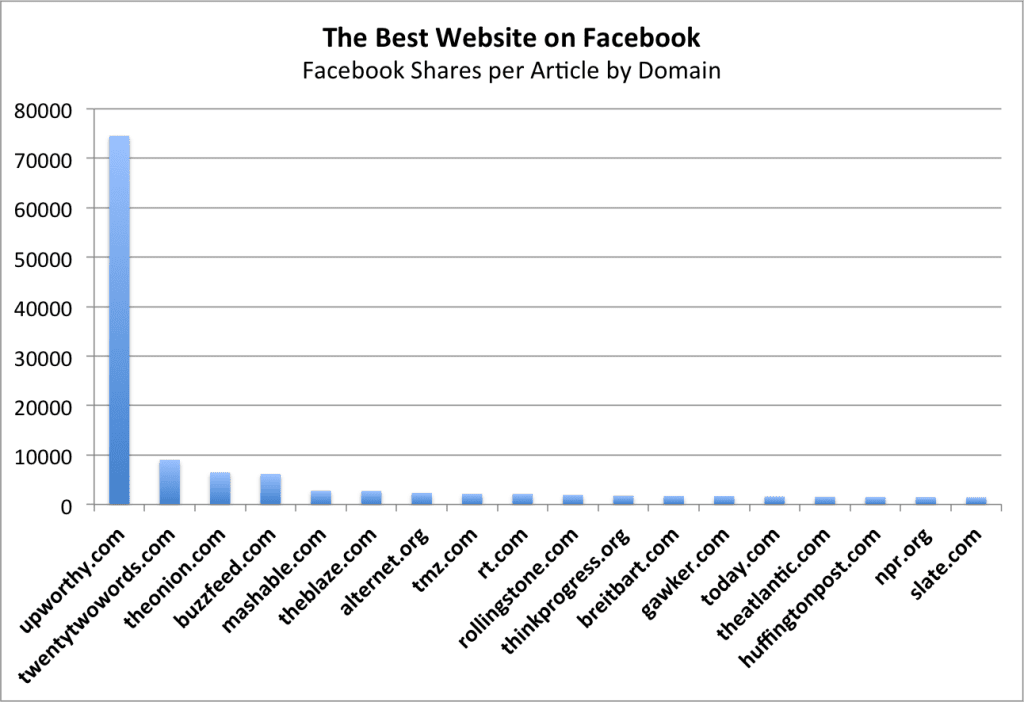
curiosity gap
But if seeing a graph like that makes you want to start writing curiosity gap driven headlines, a word of warning.
Remember:
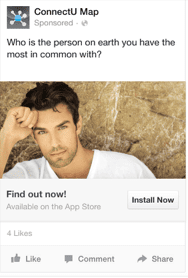
Readers don’t like being cheated. If you decide to target curiosity gap, make sure that your landing page, offer and every other aspect of campaign delivers on what you have promised.
ConnectU_Map
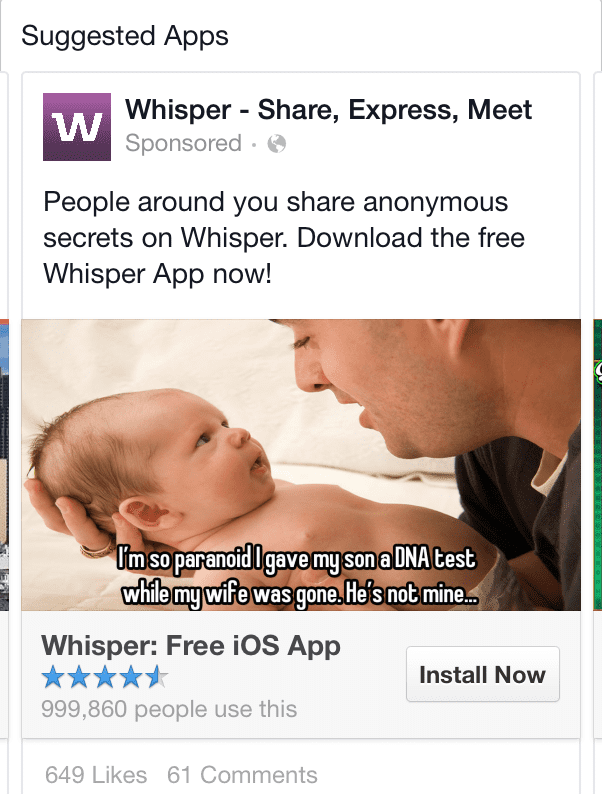
Whisper

Use Negativity to Improve Headline Performance

Weird:
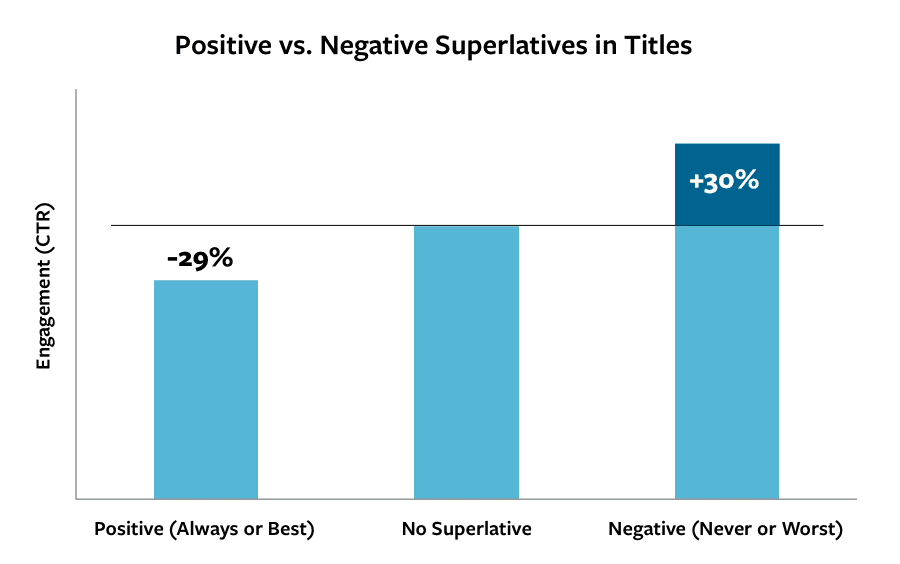
Headlines including negative superlatives (i.e. worst, never) perform better.
But I’m sure you thought that positives (i.e. better, always) would have a much stronger effect on readers.
Turns out that’s not true.
According to a study by Outbrain, headlines with positive superlatives performed 29% worse than the ones including negatives.
Superintitles
It means that even though writing headlines like:
  • X best ways to cure acne or,
  • X best products for father’s day…
…seems like a good idea, they are bound to attract less clicks that if you turned them around and focused on negatives.

Write explicit headlines to connect with readers

According to this study by Conductor, explicit headlines, in particular those containing numbers attract much greater attention.
The reason for that is actually very simple:
We humans have a dislike for uncertainty. 
That’s a reason why we perceive waiting time as shorter if we are told how long we’d have to wait (here’s more information about research conducted on the subject).
Knowledge and information help us to manage our expectations and organize the world around us.
Numbered headlines reveal just enough information to make them explicit and thus, help us manage the expectation about what we’re going to find there.

Part 2. Ad Copy

The role of a headline is to attract a user to your ad.
But it’s the ad copy that persuades them to take action.
And thus, you need to write it to convince or influence a person to click on the link and follow it to your landing page.
The most effective way advertisers use to achieve it is by using either emotional or rational appeal. 
Emotional appeal is designed to induce an emotional response that will motivate a customer to take action. The most common emotions used by advertisers are greed, exclusivity, fear and vanity.
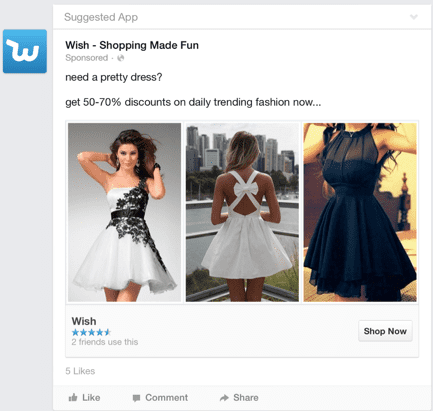
In this ad Wish uses greed to entice a customer to click on their ad.
Wish
Thomas’ English Muffins and Bagels use exclusivity:
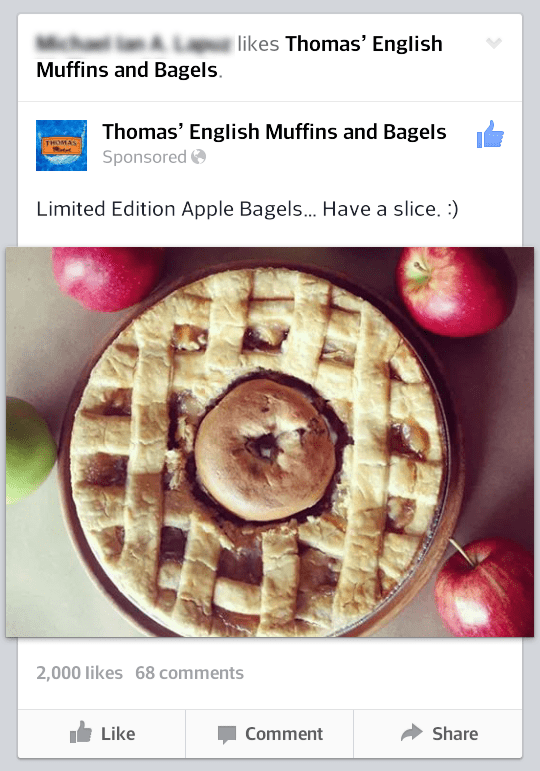
Thoma's_English_Muffins_and_Bagels

rational appeal on the other side targets your audience’s logical side. It persuades by showing the practical benefit of a product or service. Price listing benefits or prices or featuring testimonials use rational appeal to attract and persuade users.
Insightly’s ad boasts the “no. 1” claim, for instance.
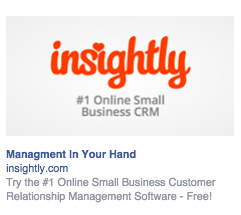
Insightly
SERPs make the claim about ease of use of their tool.
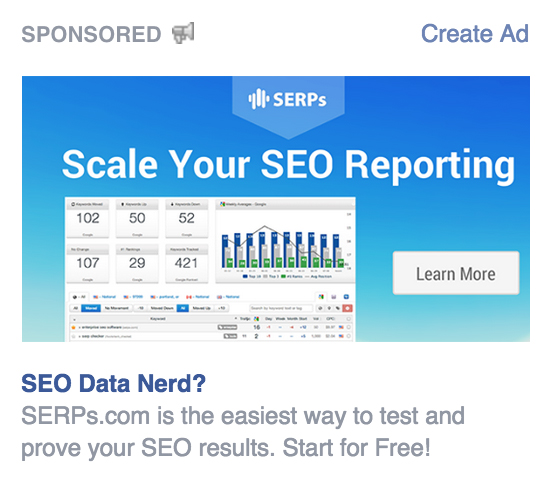
Serps

Part 3. Price

It’s true:
You don’t have to mention the price to make the ad effective. 
But if you decide to do it, there are some cool mind tricks you could use to make it seem more attractive than it might really be.
For instance:

If you sell products often purchased by emotion, round up their prices

Interesting:
Our brains process rounded prices (e.g. $19) much quicker than if they’d contain the cents (e.g. $19.25).
This year’s research by Monica Wadhwa and Kuangjie Zhang published in the Journal of Consumer Research revealed that our minds process rounded numbers much quicker.
And for that reason rounded prices work better when we need to make a quick buying decision.
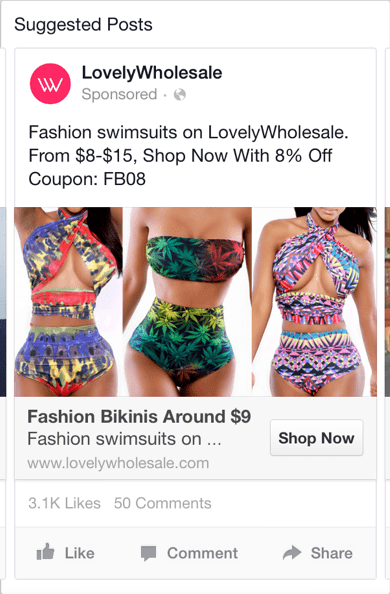
LovelyWholesale
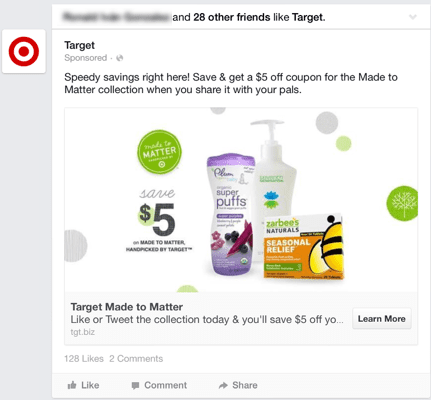
target

Raise the price to confirm the product’s superior quality

You won’t believe it but….
Turns out that we enjoy things if we pay more for them. 
That’s at least according to a research published in the Journal of Sensory Studies (found via this source) in which researchers charged some diners at an “All-you-can-eat” buffet 4 dollars per meal while others paid double that amount.
And turned out that those customers who paid the higher price rated the meal more highly on the measures of taste, satisfaction and enjoyment.
Experiments with other products confirmed a similar behavior.
And so, if you’re trying to position your product as higher quality, don’t be afraid to advertise a higher price. To many users it will be nothing short of a powerful signal of its high qualities.

Cut the left-most digit to make the price seem lower

There are many theories why so many prices end with a digit 9.
Some people claim that it’s because of the number’s magical qualities. Or because of many other reasons.
But the real reason seems to have nothing to do with the number at all!
You see:
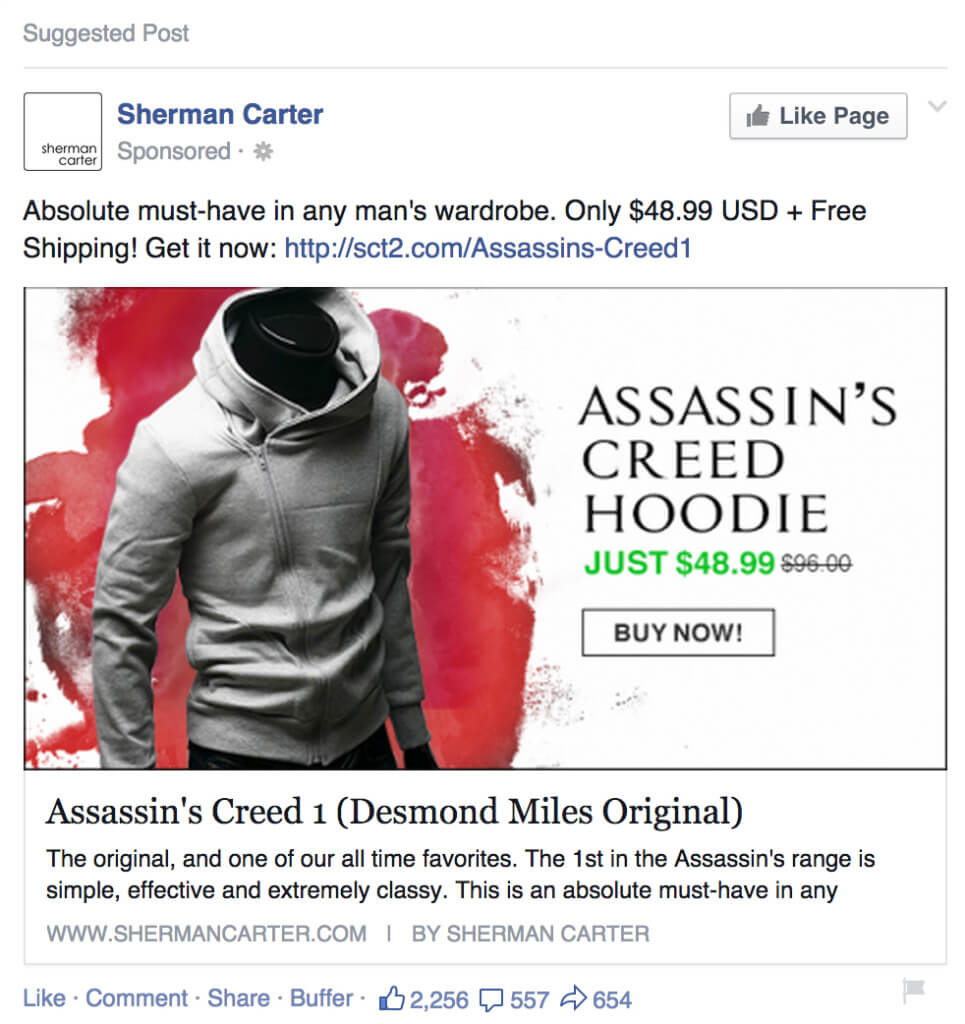
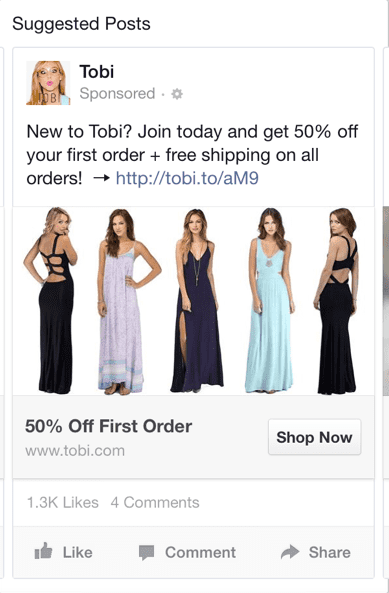
Reducing the number by one cent often cuts the left-most digit of the price. 
And according to this research, it’s that digit that’s responsible for our perception of the price.
In other words, we’ll perceive the difference between 4.99 and 5.00 as bigger than between 5.50 and 5.49.
Sherman_Carter
This mind trick naturally works the other way around too. If you want to increase the number, don’t add 9 at the end.
Tobi

Part 4: Images and graphics

It’s no secret:
Ad images affect click-through rate and conversions. 
In a 2011 study researchers from eBay discovered that:
  • Product images impact the users behavior.
  • The lightness of the background is the most correlated feature to CTR
  • You can predict the ads CTR by the image it includes.
And it’s no surprise that advertisers use a number of tricks to make ad images more appealing to users, for instance:

Images in which product is held in right hand attract more attention

We are naturally drawn to the right hand (as most of us are right handed) and thus, images of products held in a right hand attract more attention. 
This is in fact an old marketing trick.
Take supermarkets for instance:
Most are designed to make you move from right to left. What’s more, products you are most likely to buy tend to be placed on your right side. 
It’s no different in advertising. Just think of a Coke ad in which a person picks up a can or bottle from a fridge. Which hand do you think they use?
Club_W
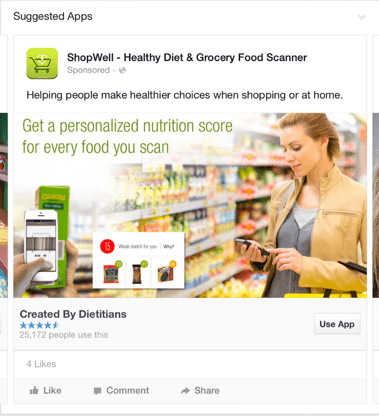
Shopwell

Colors are crucial if you want to convey emotions

We’ve already talked about using emotional appeal in advertising. But do you know that you could evoke it not only with words?
Colors for instance can suggest emotions too, for instance:
  • Blue suggests trust,
  • Red, excitement and
  • Green means fresh.
And thus, colors you use in your ad visuals will matter not only to attract attention but also help a user to feel emotions you want them to feel.

The right picture will get a user to mimic the emotion

Sounds familiar?
You watch a movie and in one scene, a protagonist is in a car crash. And just as the car hits the obstacle, you grimaced with pain.
You see, these were mirror neurons in action, tiny cells in our brains that help stimulate in the observer the same emotional state of the observed. In other words, they help us experience what other people are feeling.
This also means that we would mimic what we see in advertising.
And thus, if you want to evoke happy feelings in the user, feature smiling and happy faces.
Seeing them, the person’s is going to react in a similar manner.

Monday, 14 September 2015

The Missed Opportunity - How Brands Are Missing Out On Facebook - Jon Loomer


By now you know about how powerful Facebook can be for brands. Most of the naysayers have been quieted. Those who kept predicting “the next MySpace” have all crawled away to their caves.
There are nearly 1.5 Billion people on Facebook now. Close to 1 Billion there every single day.
That doesn’t mean that success on Facebook comes easily now. Instead, it can work the other way: The noise and the competition can make it more difficult for brands.
While most brands are on Facebook because they know they have to be, very few understand how best to use it. The truth is that success is buried in a little old school secret.

What Brands Are Doing Wrong

We could spend all day talking about what brands do wrong on Facebook. But to simplify it, brands make a few main mistakes…
1. Focusing on Fans
It’s not that building a fan base is wrong, it’s more the way brands go about it.
They focus on quantity and price over quality. And to build that base, they run contests and poorly targeted ads to people who aren’t all that likely to buy from them.
2. Focusing on Reach
So the goals of most brands tend to go in this order. First they want as many fans for as little money as possible (quality be damned!). Then they measure success by focusing on reach.
I’m not going to go on my typical tirade here. I’ve done it a million times. But I’m sick of brands focusing on this metric.
The first problem is that, more often than not, they aren’t building a quality fan base in the first place. So of course reach is going to suck.
The second is that their reach, in and of itself, is not a metric worth following. It’s the important actions that follow.
3. Focusing on Engagement
So you built a fan base of people who don’t care that much about you. Then you focus on a flimsy metric like reach. Then we usually come to engagement.
Most brands finally come to the realization that reach doesn’t tell them everything. They want engagement! Because it’s those likes, comments, shares and other clicks that tell them how much people love their brand.
So they start sharing lots of photos. Maybe memes. Maybe videos. But the focus now moves to whether people are engaging with their content. And often it’s entertainment value content that’s very loosely connected to their brand — if at all.
This is paper thin as well. Not only does simple engagement fail to tell us much but you can’t invest in engagement. You can’t build anything long-term with comments, likes, shares and other clicks.
4. Focusing on Sales
Other brands go to the other extreme. They care only about the bottom line.
They sell. They sell. And they sell some more. All they do is sell, and the number of sales is how they measure their success.
Of course, people hate being sold to — especially if it’s constant. And if you’re selling to the wrong people (which these brands almost always are), you can’t expect much success.

What Brands Should Do Instead

First, let’s look at this generally before getting to the steps you should take…
You should be building an audience of people who actually care about you. You should be creating lots and lots of helpful content. You should be investing in your website and driving people there. You should be building that website traffic to help build your Facebook audience which will help drive more traffic and more fans and more sales.
Confused? Let’s go through the steps…

Step 1: Invest In Your Website

I realize we’re talking about Facebook, but this is an absolute must. It’s your top priority. You own it, and it will be pivotal to your success on Facebook.
Before you do anything on Facebook, get your website right. Get your branding down. Get it well designed. Figure out your voice. Assign resources to creating content.
Oh, that takes us here…

Step 2: Create LOTS of Helpful Content

No, I’m not talking about “Our products are awesome, here’s why” type content. I’m talking about truly interesting, helpful content that people actually care about.
Have your target audience in mind. Make a list of all of the questions they have related to your niche or problems that your product solves. Get help from your customer service and sales teams as they are sure to get lots of questions.
These questions are the foundation of your blog posts. Your most commonly asked questions are the titles of blog posts.
The vast majority of these blog posts won’t have anything to do with your product. If you are a small business loan company, it will be based on the questions people ask about getting a loan.
Things like:
  • How much revenue do you need to get a loan?
  • What information is required to get a loan?
  • What interest rates are available for small business loans?
  • What type of loan should you get?
  • Over how many years should you pay off your loan?
You get the point. Write and write and write some more. Not once a week, but as often as possible.

Step 3: Share That Content

When you write this content, you’re going to get terrible traffic. Just know that. Early on, there’s no avoiding it. This is because you’ve done a terrible job of building your foundation, but we’re correcting that.
Share it to your Facebook page. Even if you have very few fans — or very few fans who care about you — share it anyway.
Of course, make it interesting. Try to start a conversation with it, and inspire your audience to click and read.
Don’t share just on Facebook either, but that’s obviously our focus here. I assume you have an email list. Share it there as well.

Step 4: Promote That Content

Now what we want to do is give that content a broader audience by paying to reach more people — people who might be helped by your blog post.
Spend a little money to share to your fans, though if your fan base is small that will be close to nothing.
Spend a little more money to share to Lookalike Audiences and related interests. Use Audience Insights if you need help isolating interests you should target.
Understand that long term you’ll want to move away from targeting interests. But we have to start somewhere.

Step 5: Create a Website Custom Audience and Target It

Now that you’re driving traffic to your website, it’s time to create a Website Custom Audience. Actually, you should have done this when you created your website, but it won’t be all that valuable until traffic starts coming in.
Understand that when you promote your blog posts to interests, most people will ignore it. But those who click have expressed an interest in your topic. That’s a great thing! Now we need to make sure we capture them.
Make sure to create a Website Custom Audience of all website visitors during the past 180 days. That way, the audience will be as big as possible while being relevant enough to want to reach again.
By using Website Custom Audiences, the people who clicked your ad are now added to an audience that you can target later. As traffic to your website grows, the Website Custom Audience grows. And as the Website Custom Audience grows, you can begin spending more money targeting that audience and less targeting interests and Lookalike Audiences.
The “WCA 180 Days” that I use for my website traffic has 520,000 people in it. As a result, there is no reason for me to ever target interests again!

Step 6: Build a Fan Base

Some people claim there’s no value in a fan base. I disagree, particularly in the early stages of your online brand.
Now that you’re driving traffic and building a Website Custom Audience, put that audience to good use. Run ads targeting your website visitors to also build your fan base.
As the fan base of website visitors grows, continually share those new blog posts organically. You’ll drive traffic that way in addition to the ads you run.
The fan base will allow you to drive traffic organically in addition to paid. And we need to drive that traffic!

Step 7: Build Your Email List

Okay, so now we have been focusing on driving website traffic by sharing and promoting lots of helpful content. The Website Custom Audience is growing. The fan base is growing, too. This is good!
But now let’s start building your email list. It’s important to wait until Step 7 to do this since it will be costly to do so if you’re only targeting cold leads via interests.
Now that you’ve been creating a ton of helpful content, you can start packaging some of that content into an ebook. It doesn’t need to be an ebook, but create some sort of lead magnet that you can offer in exchange for an email address.
Share that lead magnet with your fans. Promote it to your fans. Promote it to your Website Custom Audience. Have a pop-up on your site. Create an opt-in widget on your site.

Step 8: Sell Your Stuff

Now we’re getting somewhere! You’re creating lots of helpful content that appeals to your target audience. You’re using that content to drive people from Facebook to your website. You’re then remarketing to those who have been to your website to build your fan base, drive more traffic and build an email list.
Now it’s time to sell!
Since you’ve been building an email list, make sure to email those people regarding product. You knew that, right?
Now that you have a relevant fan base made up of website visitors, target your fans with ads that sell product. And also target your prior website visitors who may not be fans.
When traffic is really good, you can start doing things like targeting website visitors based on specific pages they’ve visited. But right now, this will do!

Step 9: Repeat with Step 2

This is not a short-term process. You’re committed for the long-term. We’re not just building to the point of selling and stopping. This process continually feeds on itself.
Create more content. Share more content. Promote more content. Build your fan base. Build your email list. Sell your product.
The more content you create, the more content you can promote. The more content you promote, the more traffic you drive. The more traffic you drive, the more relevant people you can target to read more content, join your email list and buy your product.
Make sense? GOOD!

Your Turn

Granted, this is a pretty simplified explanation for how this works. And how you apply it will depend upon your brand. But I’ve seen it work over and over again.
While simple, very few brands take this approach. They focus on things that don’t matter instead of investing in the future of their brand. And the future is found in driving traffic to something you own.
What are your thoughts on this approach? Let me know in the comments below!

Wednesday, 2 September 2015

The New Facebook Power Editor - Guide On How to Use

New Facebook Power Editor
Like any other big change, the new Power Editor will take some getting used to. As you poke around you’ll find…
  • Some things work differently now
  • Some features are in different places
  • The design is often different, but functions the same
  • Some things are relatively or completely unchanged
  • Some features are brand new
If you have the new Facebook Power Editor, here’s what it looks like…
New Facebook Power Editor
Let’s dive in!

Top Navigation

New Facebook Power Editor
Previously, the navigation items were buried within one of a couple of drop-downs at the top. Now they all remain uncovered for easy access.
Manage Ads: This is the default view, allowing you to manage your campaigns, ad sets and ads.
Audiences: This aggregates all of your Custom Audiences, Lookalike Audiences and Saved Audiences. Nothing new here.
Image Library: This is a central place where all of the images you have uploaded to Power Editor live. Nothing new here.
Reporting: A list of your saved reports lives here. More later in this post.
Page Posts: Previously known as “Manage Pages,” a collection of page posts. Nothing new here.
Tools: A dropdown with access to the following:
  • Campaign Dashboard
  • Pixels
  • Billing
  • Account Settings
  • Account Groups
The Pixels page is relatively new, but not to this design. It is found within the new Ads Manager and provides an overview of the performance of your Website Custom Audience and conversion pixels.

Side Navigation

New Facebook Power Editor
The previous side navigation allowed you to drill down by campaign, ad set, ad and labels. It confused many advertisers because you were asked to click on campaign, ad set and ad names on the left only to get campaigns, ad sets and ads on the right.
The new side navigation has icons only representing the campaign, ad sets and ad groups. When you click on any of those three levels, you’ll get that information on the right.
Since there is no longer a list of campaigns, ad sets and ads on the left, the use of filtering becomes more important.

More Room for Lists

New Facebook Power Editor
One of the biggest cosmetic changes is that there is now far more room for lists of your campaigns, ad sets and ads. The prior Power Editor had a dual pane: The top was a list of campaigns, ad sets or ads; the bottom was the editing pane.
This was a “pain,” to say the least. I know my routine was grabbing the bar separating the two and moving it up to get a better view of what I am creating or editing.
Now there is no separator. The list takes up the real estate, making this design much cleaner.

Editing

New Facebook Power Editor
If you’re going to create a campaign, ad set or ad, you simply click the “Create” button at the top left. By default, you’ll create based on your current view (if viewing ad sets, you’ll create a new ad set). But there’s a drop-down to create whatever you want.
To edit a campaign, ad set or ad, simply click on the pencil icon at the far right. Whether creating or editing, the next view will look the same.
New Facebook Power Editor
The editing pane then flies out from right to left, taking over the majority of the screen. When you’re done editing, click the pencil icon again and the pane will collapse to the right.

Search

New Power Editor Search
The search at the top left is actually no more than a shortcut to filters by name, ID or tag (we’ll get to those next).
Here are your search options:
  • Campaign Name
  • Ad Set Name
  • Ad Name
  • Campaign ID
  • Ad Set ID
  • Ad ID
  • Tag

Filters

New Facebook Power Editor
If you’ve created hundreds or thousands of ads — particularly if for different pages or clients — it can be very difficult finding what you want. That’s where these filters come into play, allowing you to narrow dow the results.
Following are the filtering options, by category…
Campaign Delivery:
  • Active
  • Inactive
  • Scheduled
  • Not Delivering
  • Completed
  • Pending Review
  • Not Approved
Ad Set Delivery:
  • Active
  • Inactive
  • Scheduled
  • Not Delivering
  • Completed
  • Pending Review
  • Not Approved
Ad Delivery:
  • Active
  • Inactive
  • Not Approved
  • Pending Review
Objectives:
  • Clicks to Website
  • Product Catalog Sales
  • Website Conversions
  • Page Post Engagement
  • Page Likes
  • Mobile App Installs
  • Mobile App Engagement
  • Desktop App Installs
  • Desktop App Engagement
  • Local Awareness
  • Offer Claims
  • Event Responses
  • Video Views
Recent Campaign Changes:
  • Recently Edited
  • Recently Uploaded
  • Not Uploaded
Recent Ad Set Changes:
  • Recently Edited
  • Recently Uploaded
  • Not Uploaded
Recent Ad Changes:
  • Recently Edited
  • Recently Uploaded
  • Not Uploaded
When one of these is selected, the selected filter will then appear to the right…
New Facebook Power Editor
You’ll be able to change your filter by clicking on it.
Depending on the filter, you will also need to provide a variable. For example, if you choose “Campaign Delivery,” you’ll need to select from variables like Active, Inactive, Scheduled, etc.
New Facebook Power Editor

Reporting

New Facebook Power Editor
If you click on the “Reporting” link within the top navigation, you’ll get a list of your scheduled reports as shown above. This will be a collection of both the sample reports that Facebook gives you and the custom reports you have previously created.
You can create a new report from here by clicking the “Create Report” button at the far right. You will then be able to apply filters to view only what you want and save it for easy access later.
If you click on one of the reports, you’ll be able to view the results like below…
New Facebook Power Editor
You can also generate a report while viewing a filtered list of campaigns within the Manage Ads view…
New Facebook Power Editor
Just click the “Create Report” icon!

Your Turn

This is an overview of most of the changes you need to be aware of within the new Power Editor. Some things didn’t change, or changed very little.
What do you think about this update? Let me know in the comments below!